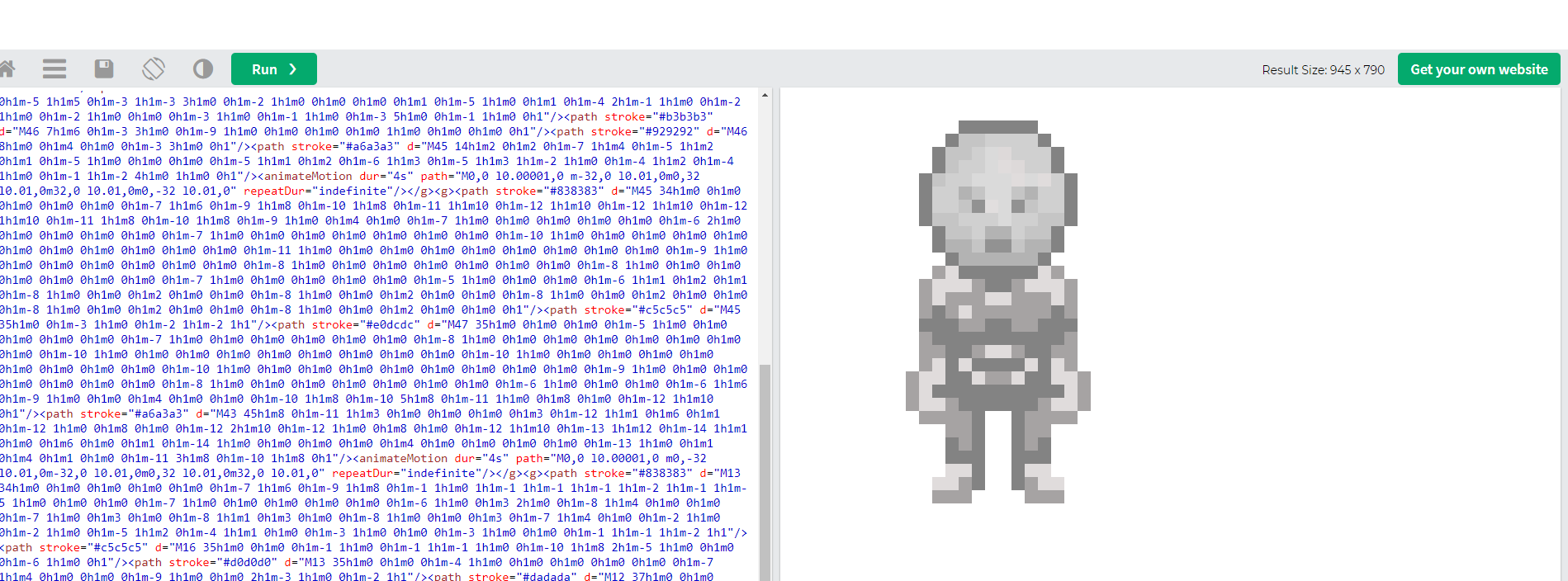
The Protonaut Assets
The Protonaut Token
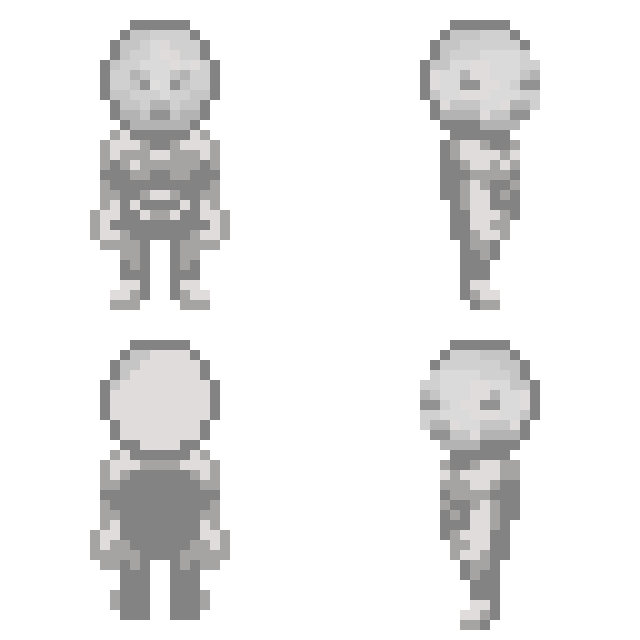
The Protonaut token consists of an onchain image, a set of attributes, and 14 equipment slots.
A Protonaut can equip up to 14 items that match the corresponding slot (think any MMO or RPG), and these will effect the Protonauts level depending on the equipment.
A Protonaut also gains permanent levels through equipment, in the form of dynamic levels, which are applied on a periodic basis.
Currently the 5 attributes a Protonaut has are:
- Health
- Defense
- Attack
- Magic
- Tech
These stats are found in a lot of different games, and can generally be applied wherever is needed.
A mage guild could require Protonauts to have a Magic level of 50 or higher to join their ranks and access exclusive spells and enchantments. This creates natural progression and specialization within the ecosystem.
The Equipment Token

The Equipment Token
Equipment tokens are items that can be equipped to a Protonaut's equipment slots. Each piece of equipment has:
- A slot type (Head, Chest, Legs, etc.)
- Static level bonuses that apply immediately
- Rare dynamic level bonuses that help your Protonaut accumulate levels over time and grow
Static Levels
Most equipment provides immediate static level bonuses when equipped
Dynamic Levels
Rarer, but will reward your Protonaut with the given power based on the amount of time that item was equipped.
Where are the images stored?
The animated Protonaut image is stored in the smart contract that is deployed and stored on the Ethereum blockchain.
Navigating to a block explorer like Etherscan, a user can interact with the contract and input the token ID of their Protonaut to view all the attributes and image of any given Protonaut
- Go to Protonaut Contract: Protonaut Contract
- Click "Contract"
- Select "Read Contract"
- All of these functions are free to call and don't cost any gas.
- Select the
tokenURIfunction and input the user's token ID
- Copy all the text after the "data:application/json;base64,"
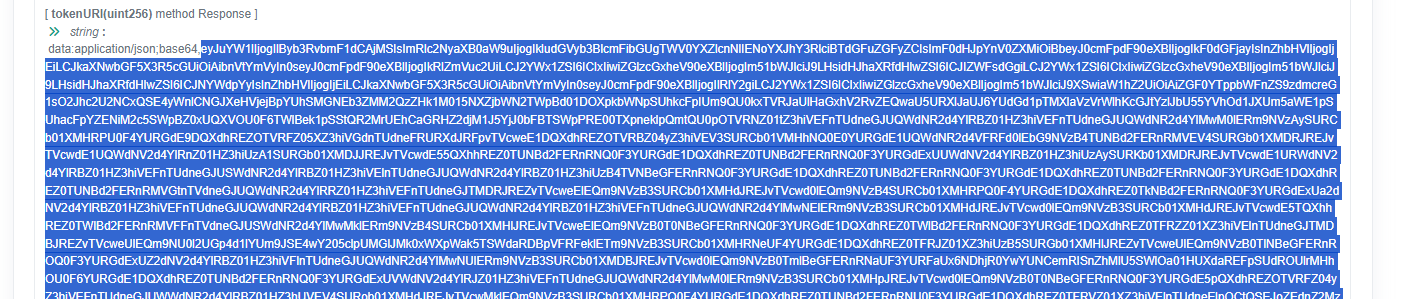
- Paste this text in a base64 decoder like Base64 Decode and click "Decode"
- This will give you a JSON object that has all the Protonaut description and information as well as their attributes and image.
- Since the image itself is encoded and stored on the blockchain, repeat this process for the "data:image/svg+xml;base64,"
- If done correctly, this should decode as SVG code, which is the final image of your Protonaut.
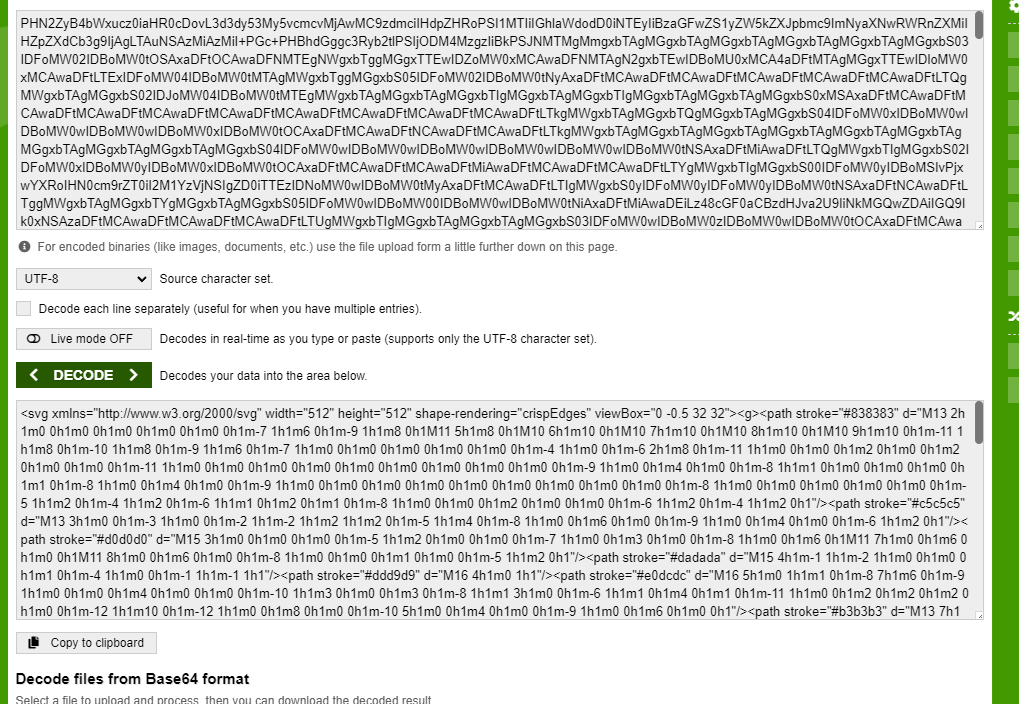
- Finally, if you want to see your Protonaut, you can take this SVG code and put it in an editor like W3Schools Tryit Editor and click "Run"